Moving off Instapaper? Bring the whole reading list, not just the links.
Download one CSV from Instapaper and upload it as-is. Cowpin keeps your custom folders as tags, your unread queue as read-later, your stars starred, and your highlighted passages attached to each save.
14-day free trial, no card required, and you can export everything back out whenever you want.
Also available on iPhone · Android · Mac · Windows · Linux · Chrome · Firefox
Cowpin everywhere
Mac, Windows, Linux, iPhone & Android · Chrome, Edge, Brave, Arc & Firefox — one account, everywhere.
On your phone
Save links from any app with the Share menu, read later offline, and find anything with full-text and AI search.


On your desktop
Native clients that update themselves. Your OS first, the rest one glance down.

In your browser
Save without switching windows. Your browser first.
Edge, Brave & Arc via the Chrome Web Store. Safari extension in progress.
In your terminal
Script everything with the CLI and Pinboard-compatible API; let agents work through MCP.
API token: Settings → API. Agents: MCP + Cursor
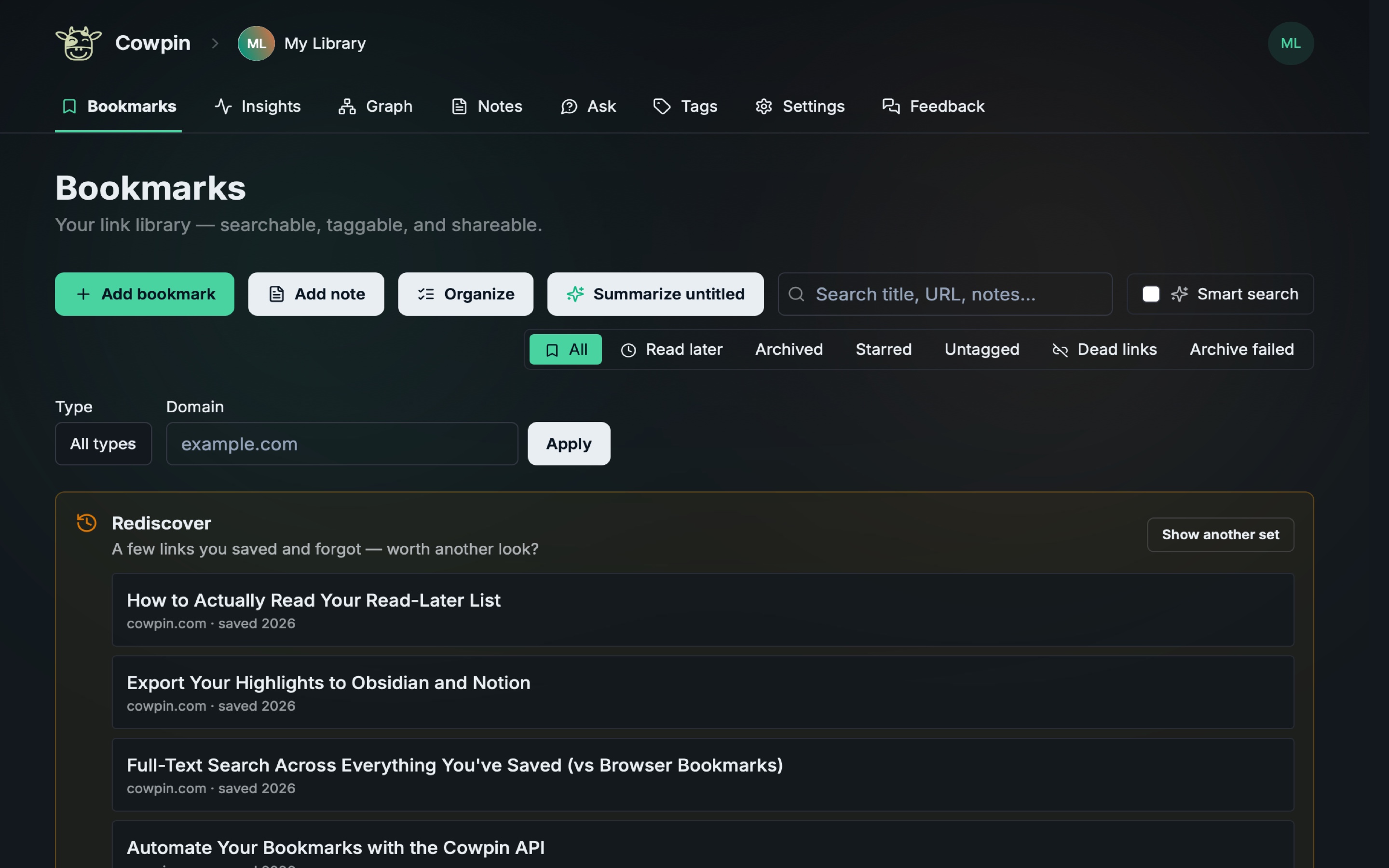
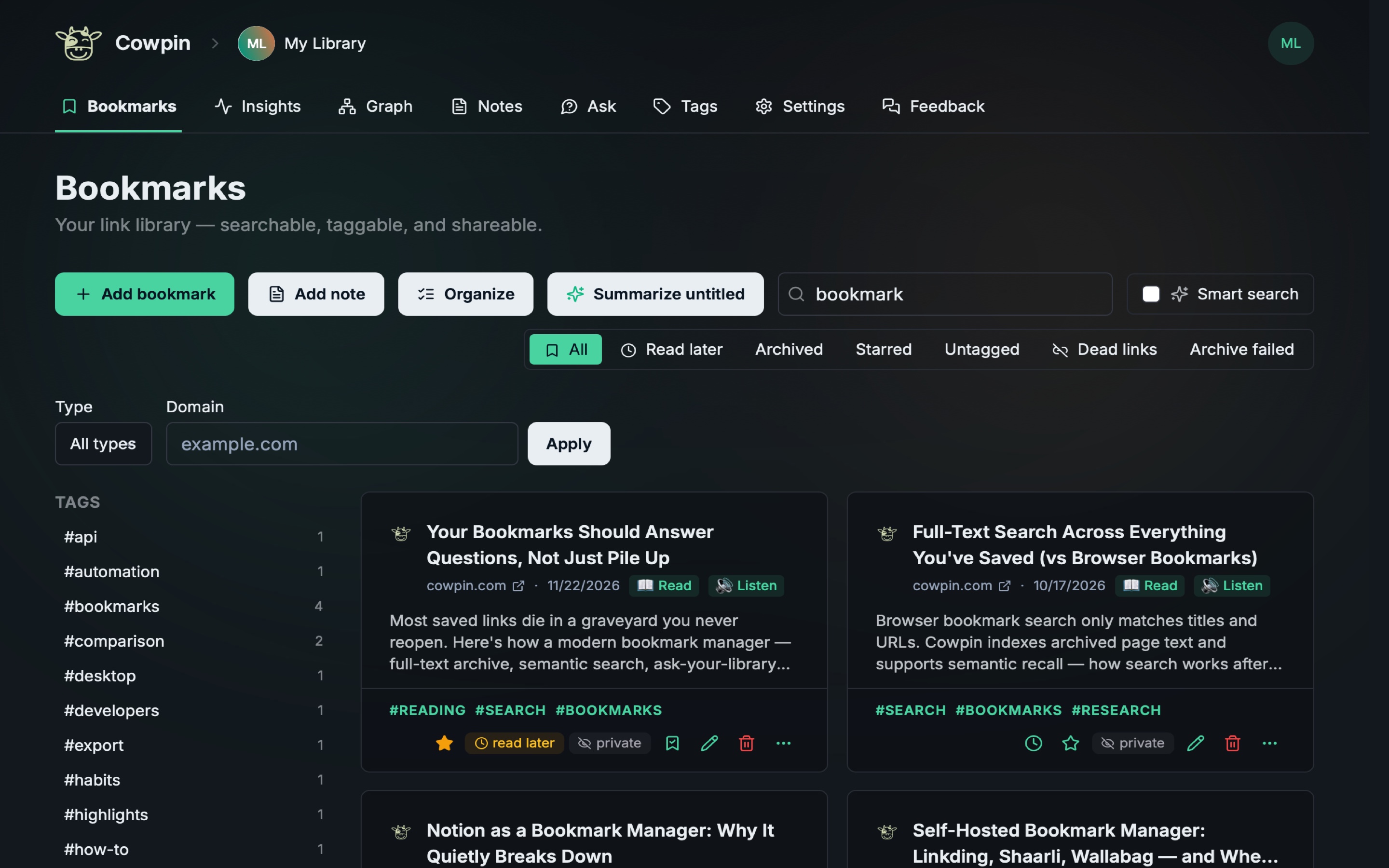
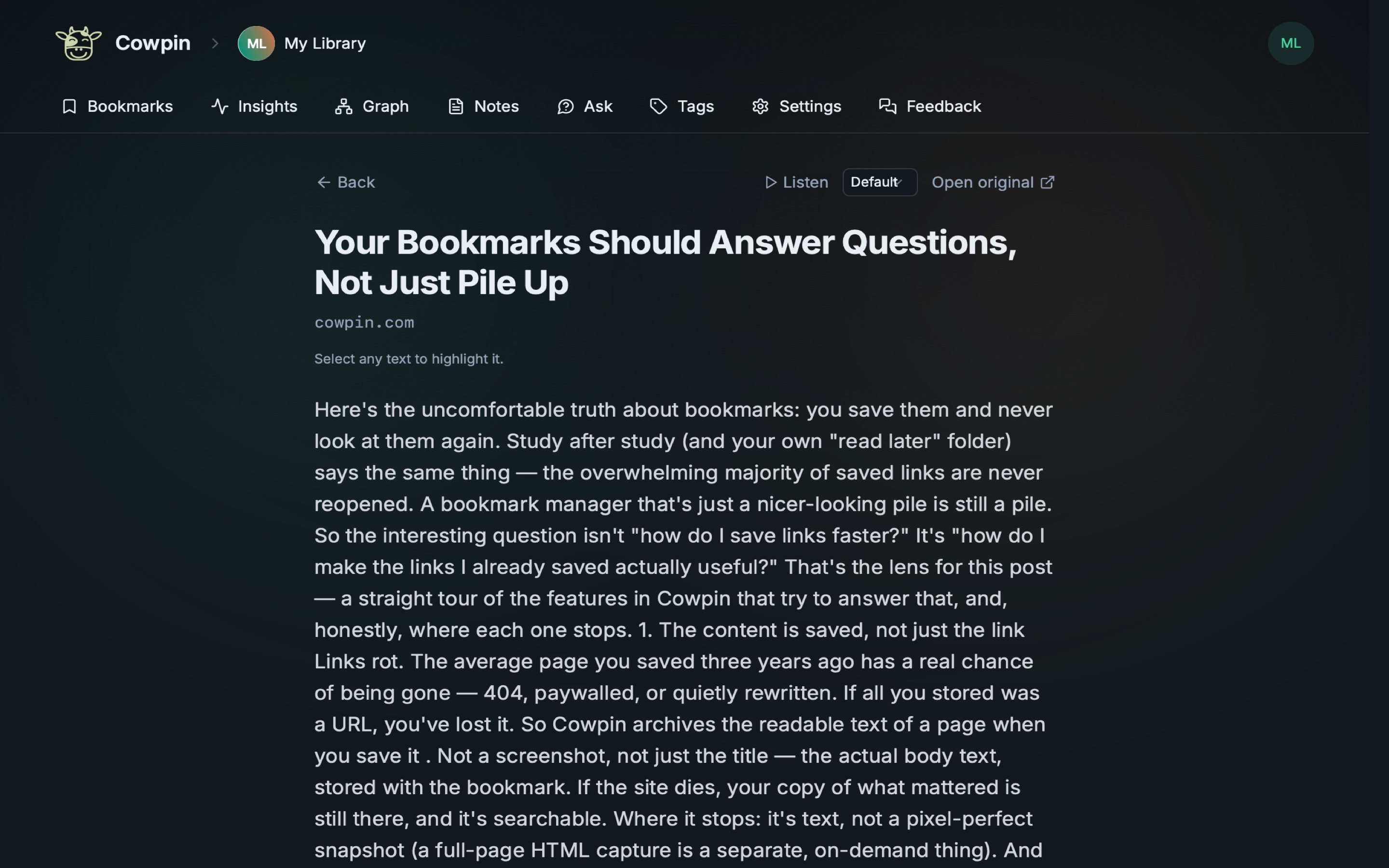
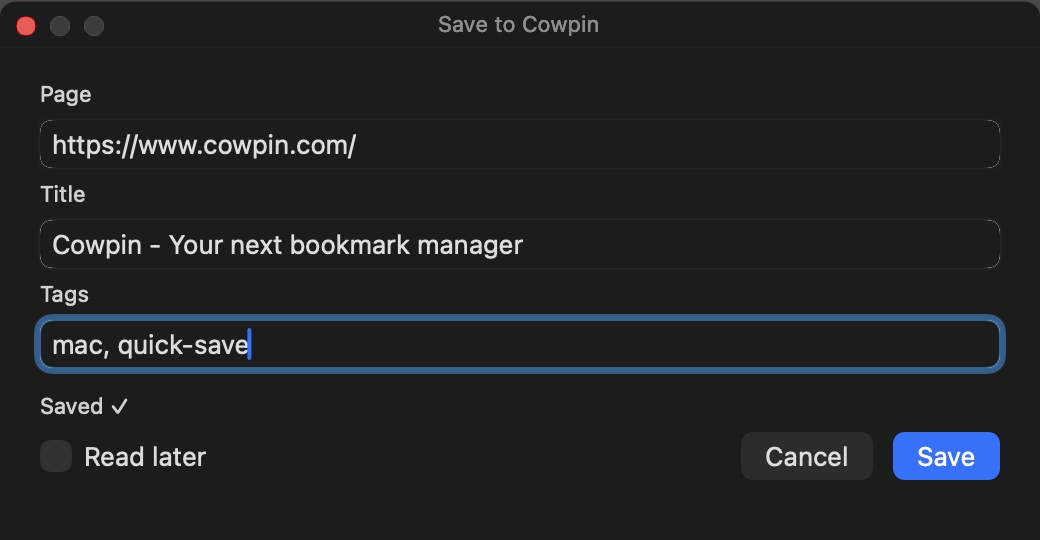
A closer look at Cowpin for Mac
Save, organize, search, and read your bookmarks in the Mac app.
How the move works
- 1
Export from Instapaper
On a desktop browser, sign in and open instapaper.com/user. Scroll to the Export section and click Download .CSV file. You get one instapaper-export.csv - keep it even if you decide not to migrate.
- 2
Start your free Cowpin trial
Sign up with Google or an email address. No card, no waiting list.
- 3
Upload the CSV
Open Settings, then Bookmarks, then Import, and upload the CSV. There is no conversion step - Cowpin recognises the Instapaper format and reads it directly.
What comes across
Instapaper's CSV carries more than most exports. Here is exactly what survives the move.
- Every saved link and its title
- Your custom folders, kept as Cowpin tags
- Items in your Unread folder arrive flagged read-later
- Items in Archive arrive without the read-later flag
- Starred saves stay starred
- Highlighted passages come across as the bookmark's blurb
The honest version
Instapaper is not shutting down. It works, it is independent again, and it has outlasted most of its rivals. If you are happy there, stay. People move for their own reasons - one library instead of two, an archive that survives link rot, or simply not wanting a reading list they cannot get out of. Instapaper's CSV is a list of links, folders, stars, timestamps and your highlighted text. It does not include the full article text Instapaper saved for offline reading, and no tool can recover that from the export alone, so imported items arrive as plain links. Cowpin archives a readable copy of every page you save from here on, and you can archive an imported link on demand.
What you get once you've moved
Permanent S3 HTML archiving, sub-50ms search, two-way Pinboard sync, and clean reading with highlights.
Full-page archives that outlive the original
Pew Research found that 38% of webpages from 2013 were gone a decade later. Cowpin saves the readable text of every page you bookmark, and with AI & Archive it also keeps a full-page copy (styles and images included) in our own storage.
example.com/2021/deep-dive
Full-page copy · 3 MB
Pinboard sync & API
Run Cowpin alongside Pinboard. Connect your account and new Pinboard saves come in once a week; the optional mirror pushes your Cowpin changes back, and never deletes anything there. Existing Pinboard apps work with your Cowpin API token.
✓ 1,420 bookmarks imported · nothing deleted on Pinboard
Apple Health for Bookmarks
Track 12-week reading volume, revisit rates, topic breakdowns, and dead links. Turn your link stash into an active, high-yield knowledge system.
Distraction-Free Reader & 1-Click Markdown Export
Read cleanly without ads or pop-ups. Select any sentence to create a highlight with your own notes, then export all of them as one Obsidian-friendly Markdown file.
"The best bookmark managers don't just store URLs; they preserve the exact thoughts and highlights that inspired you in the first place."
Listen on the web
Listen to a saved article's archived text in the web reader. Choose a voice and playback speed; the first play prepares audio, then cached replays start quickly.
Vault: bookmarks only you can open
Optional. Vault bookmarks are encrypted on your device with your own passphrase, so Cowpin only stores scrambled data. Lose the passphrase and its recovery key and they can't be recovered, and they skip AI and page copies. On the web for now. How Vault works
Save From Everywhere
Save without opening the dashboard. Use the official Chrome & Firefox extensions, the share sheet (an iPhone Shortcut, or the Android home-screen app), save-by-email forwarding, the bookmarklet — or follow RSS feeds and let new posts save themselves.
Ask Your Library (AI)
Query your bookmarks naturally in plain English. Cowpin's semantic RAG answers questions citing your exact saved articles with source links.
"What did I save regarding Postgres connection pooling?"
How Cowpin compares
Built for bookmarkers who refuse to lose their links or get locked into abandoned software.
| Capability | CowpinModern | Pinboard | Raindrop | |
|---|---|---|---|---|
| Full-page archive (anti-link rot) | With AI & Archive | Paid add-on / slow | Pro tier only | |
| Pinboard sync & Pinboard-compatible API | Weekly, both ways | N/A | ||
| Full-text & tag search | Every word of saved pages | Legacy / slow | Pro only | Pro only |
| Distraction-Free Reader + Highlights | Obsidian / MD export | Basic | Basic | |
| AI Semantic Search & Daily Focus | Private RAG | |||
| Private, No Tracking Cookies & Zero Ads | 100% Private | Ad-supported | ||
| Open Netscape HTML & JSON 1-Click Export | Zero Lock-In | Partial |
Tested every day on real browsers and real phones
Your bookmarks should outlive any one app. So Cowpin is tested the way you use it, on the live site, every day.
Every day, in real browsers
Chrome, Firefox and Safari's engine sign in, save, search and use the extension and bookmarklet on the live site.
Every week, on real Android phones
A Pixel and a Galaxy sign in, save, share from another app, search and open notes.
Every release, checked before you see it
A new version goes live only after automated checks pass on it. A failing build never reaches you.
Every minute, watched
The site is checked every minute and the database every 15 minutes, and a sign-in email to an outside inbox is checked every day. An alert goes out as soon as something breaks.
Questions Instapaper users ask
Give your reading list a new home
One CSV, your folders and highlights intact, and your unread queue still telling you what you meant to read.
Start your free import